
Integration: Evo Privileged Access Management (PAM)
New
Category: Endpoint Security
Company: Evo Security

Evo Security integration with Acronis RMM

Endpoint Privileged Access Management (PAM) by Evo Security

End User Elevation, Evo Security’s privileged access management (PAM) solution for endpoints, is now partnered with Acronis RMM, providing a seamless and efficient way to manage local administrative privileges across your customer environment. This parntership empowers IT teams and managed service providers (MSPs) to enforce least privilege policies while maintaining the flexibility and efficiency their end users need to remain productive. Quickly deploy Evo End User Elevation across all endpoints using pre-built scripts specifically designed for Acronis RMM. By leveraging these scripts, technicians can install and configure the Evo agent on multiple devices in minutes, dramatically reducing the operational effort typically required during deployment. This streamlined process allows IT teams to focus on higher-value activities, rather than spending hours manually rolling out software or troubleshooting installation issues. Combining Evo End User Elevation with Acronis RMM delivers a scalable, and secure approach to endpoint privilege management. It simplifies deployment, enhances user productivity, improves visibility into administrative activity, and strengthens overall security, all while reducing the operational burden on IT teams.

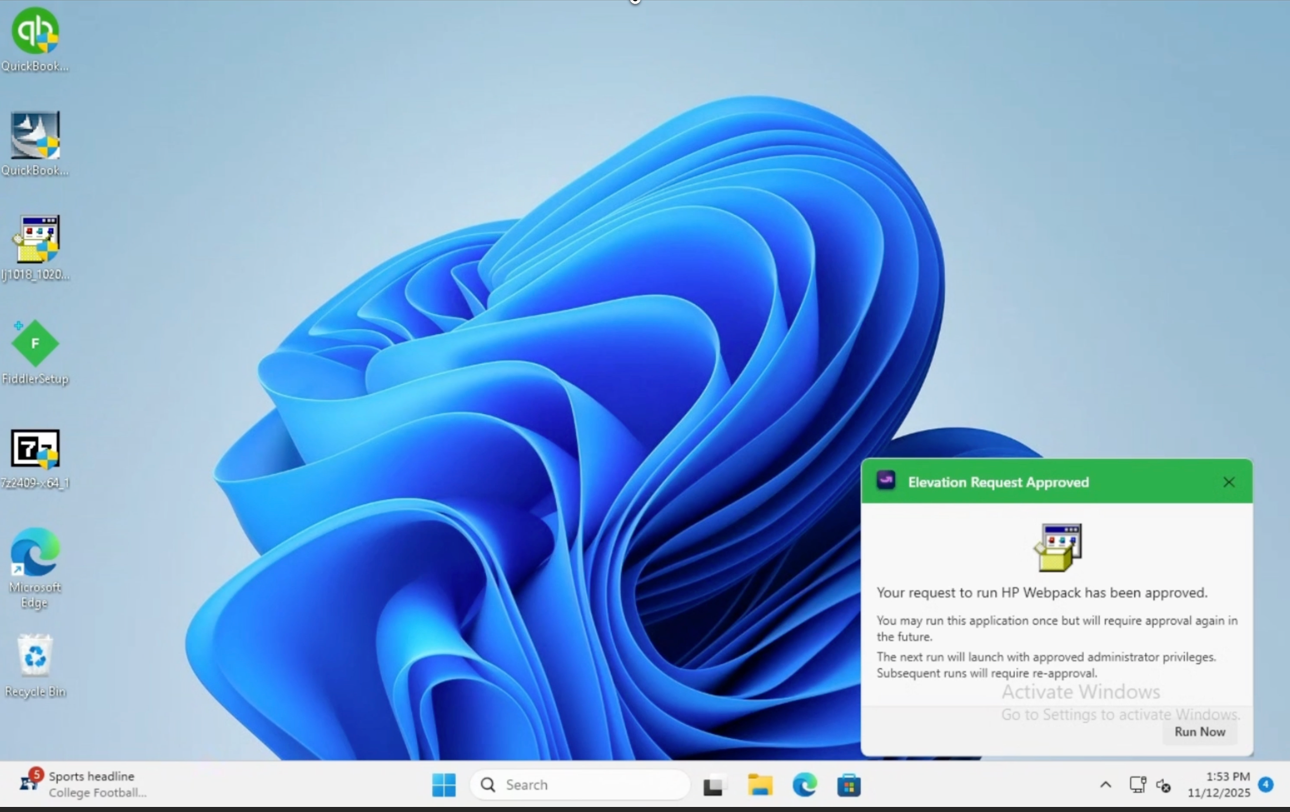
End User Elevation in Action

Control and enforce least privilege with the platform designed to work the way MSPs do.

Seamlessly deploy utilizing pre-built scripts for Acronis RMM and enable your technicians to:

  • Control and enforce least privilege for standard users without slowing down support
  • Empower end users while removing admin rights through automation and AI

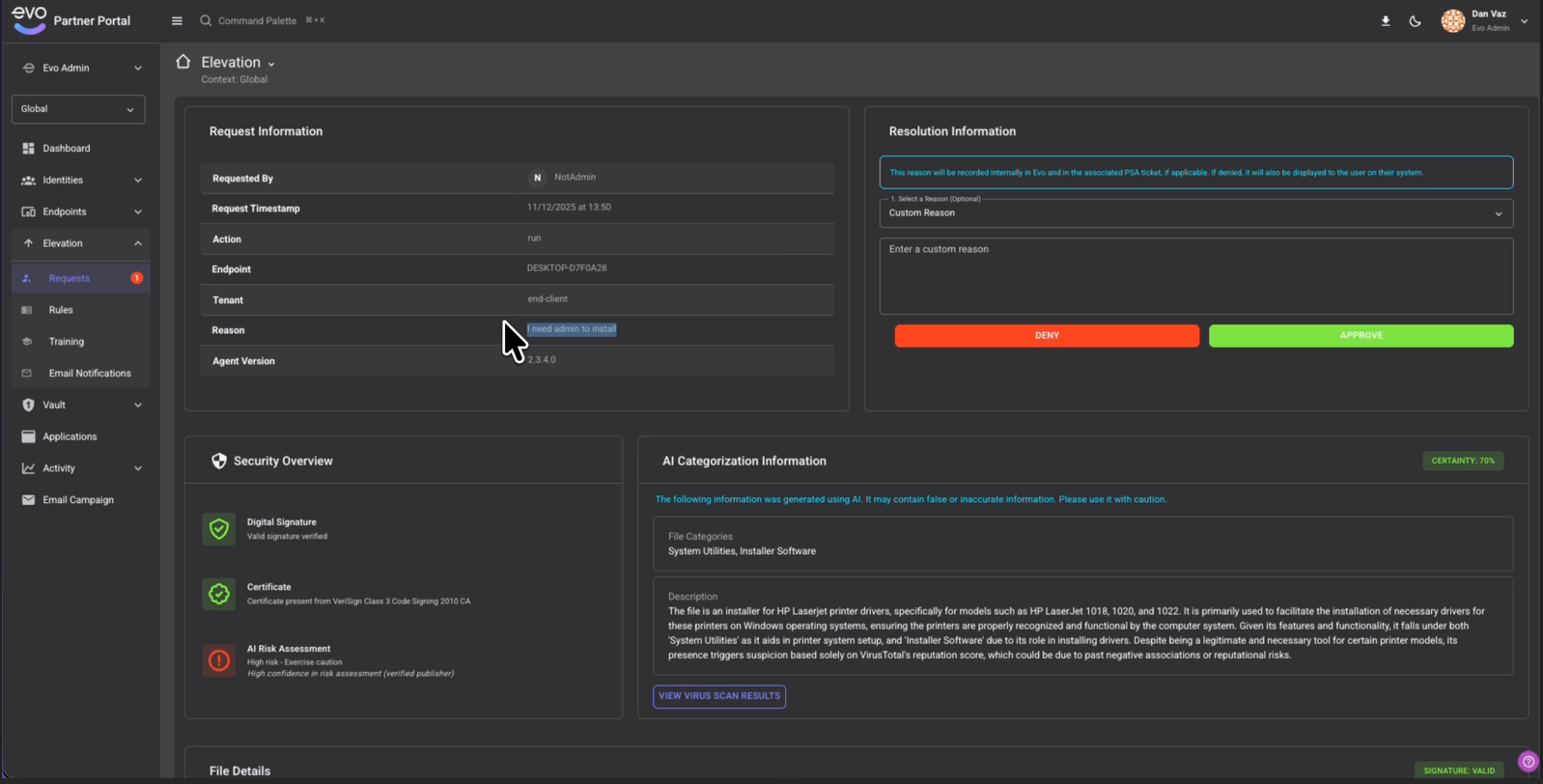
With AI-enhanced, Just-in-Tme (JIT) admin elevation, partners using Evo End User Elevation today benefit from:

  • Deep insights into what a user it trying to install
  • Significantly increase approval confidence
  • Decreased tickets and technician research
  • Reduced ransomware potential

Evo Security helps MSPs reduce support workload, improve customer security, and unlock new recurring revenue – without the complexity of enterprise tools.

Features

Prevent Ransomware

Prevent ransomware before it ever reaches an endpoint. Instead of allowing end users to freely download software that could be malicious, enforce permission-based access through a centralized control system at your MSP. By managing what can and cannot be installed across every user and device, MSPs can reduce breach risk and deliver measurable security value to their customers.

Remove Local Admin Access

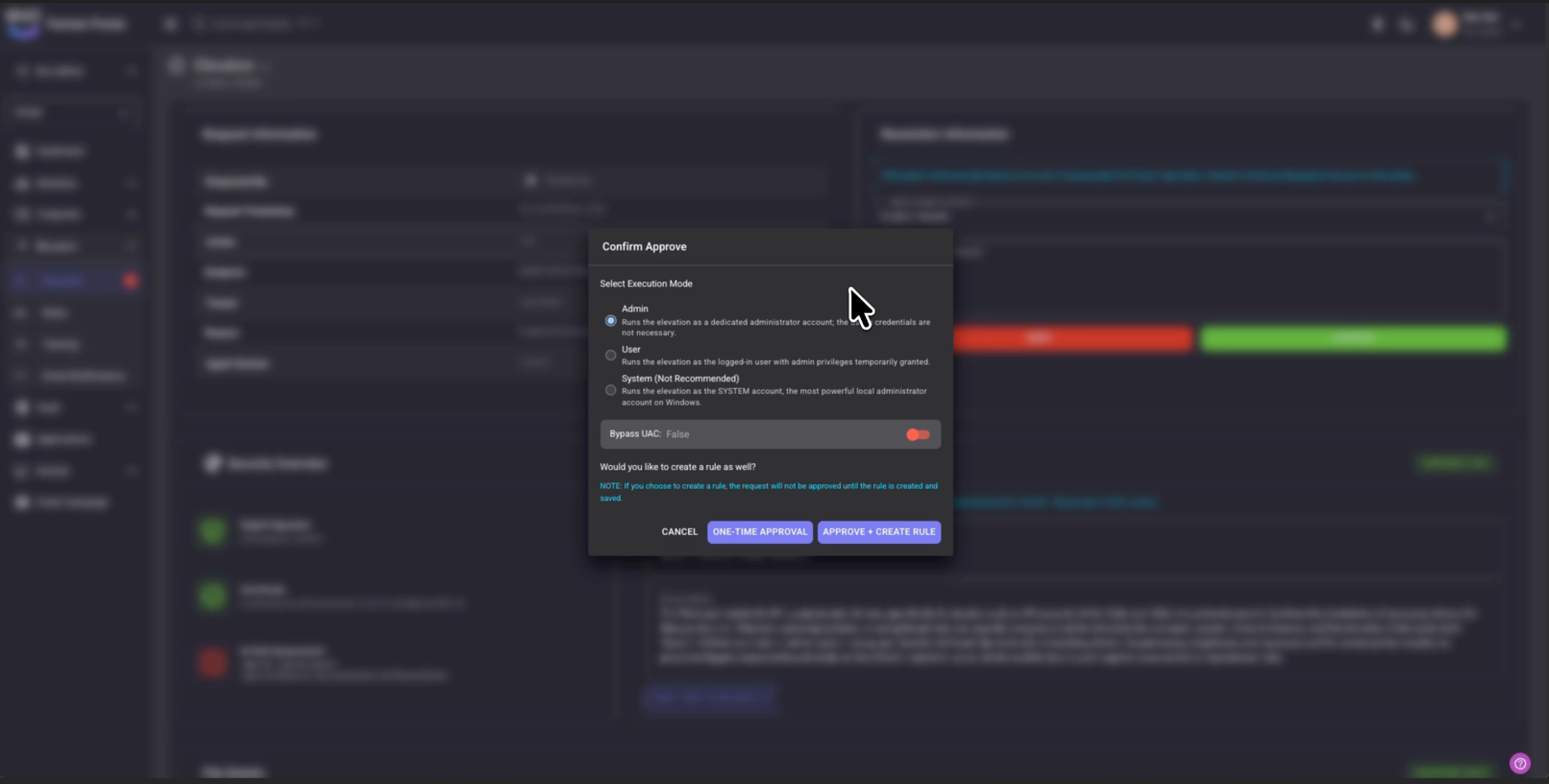
Users don’t need admin access all the time, only when it’s justified. Evo’s End User Elevation removes always-on admin rights and replaces them with secure, tightly scoped, temporary elevation approved by the MSP. This reduces attack surface, limits ransomware risk, and preserves productivity through controlled, auditable access when legitimate tasks require it.

Automate Elevation Approvals/Denials

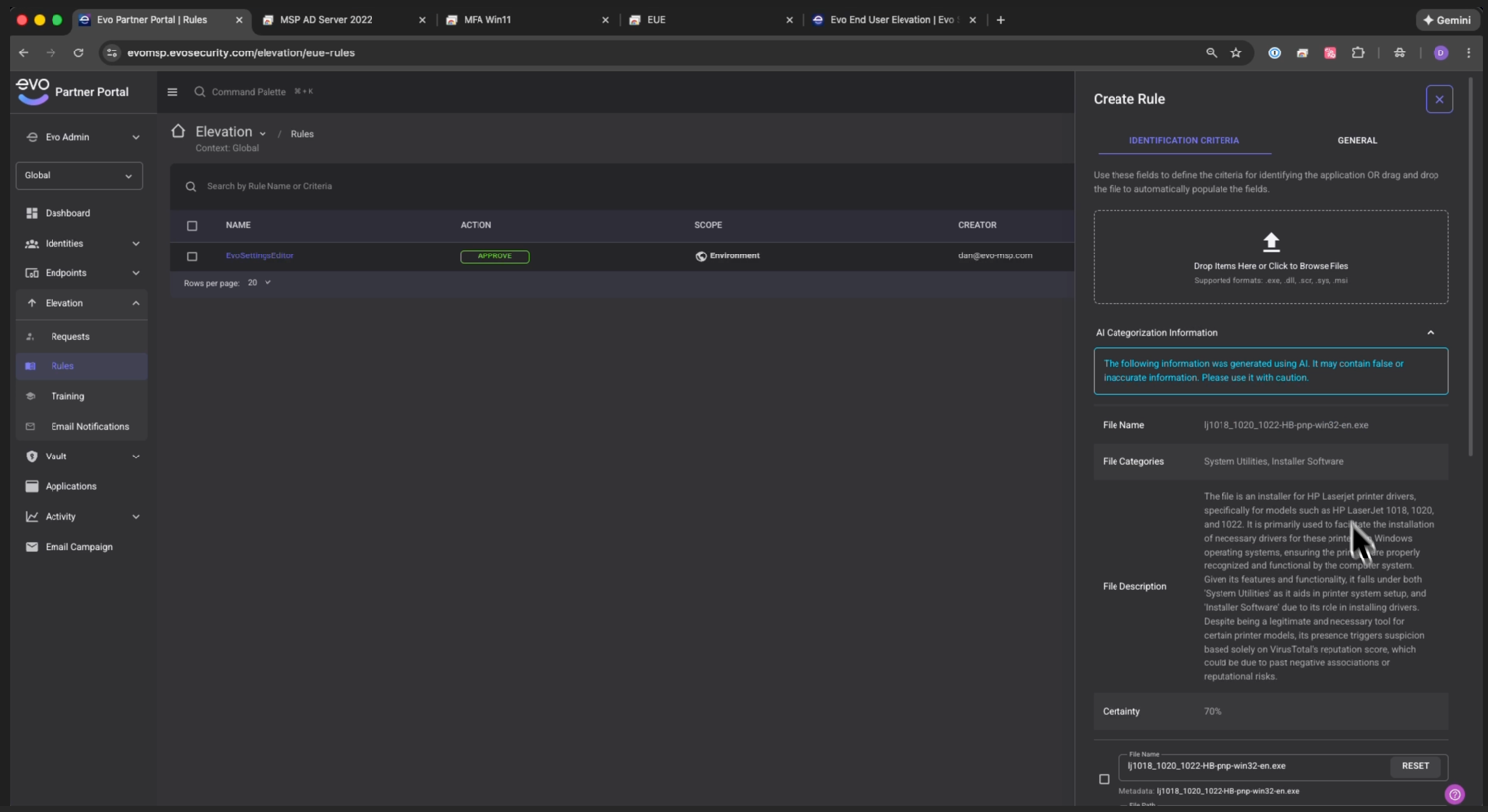
Removing always-on admin access initially reveals how often users try to do admin-level actions on their endpoints. Without End User Elevation, removing admin rights results in increased support tickets and a spike in technician solving elevation requests for end users. Evo streamlines this process by enabling a powerful, policy-based auto-approve or auto-deny system so end users can self-service elevation for approved actions. This reduces friction for the end user and dramatically reduces ticket volume, technician time, and operational overhead for MSPs.

Reduce MSP Liability with AI

What happens when a technician doesn’t know anything about the application a user is trying to install and can’t find any obvious information? Should it be approved or denied? Other solutions expose MSPs to unnecessary risk, especially when technicians lack full context about an application. Evo’s AI-powered analysis removes that liability automatically with an instantaneous summary, classification, cross-references threat data, and assigns a certainty score. Now, every decision is informed, consistent, and auditable, reducing human error, improving security posture, and protecting MSPs from the consequences of approving unknown or malicious applications.

Elevations Architected Correctly

Most elevation tools operate within the user’s existing session, leaving opportunities for malware, keystroke injection, or session hijacking. Evo is uniquely architected to perform elevations inside Windows Secure Desktop, isolating the elevated process from the user environment. This hardened approach prevents credential theft, blocks common attack techniques, and ensures privilege elevation is executed the way Windows security intended.

Simple and Intuitive End User Experience

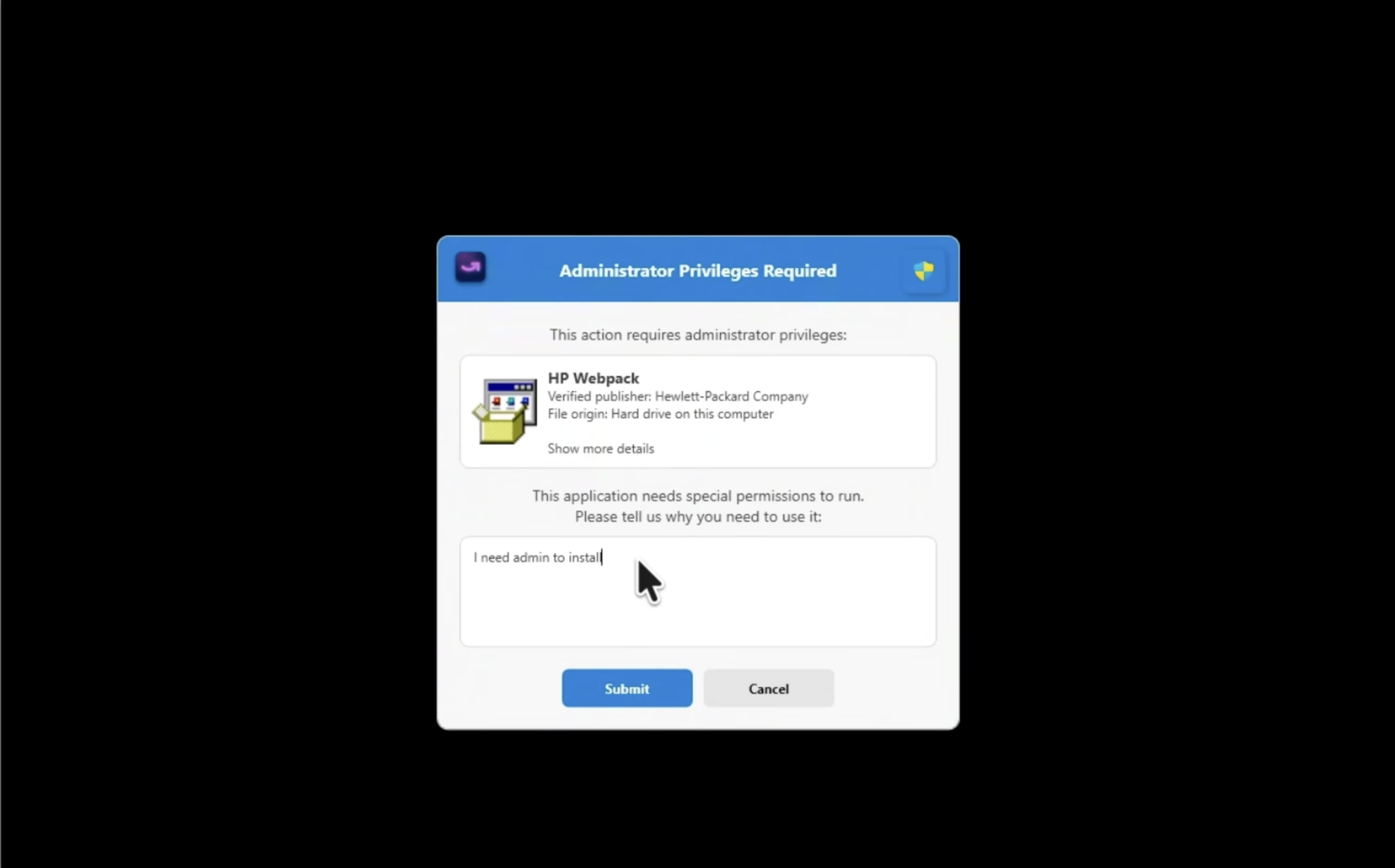
Security controls only work when users don’t try to bypass them. Evo’s End User Elevation was designed with an ultra-simple, low-friction user experience, ensuring employees can request access and continue working without confusion or disruption. Unlike clunky legacy tools, Evo feels native and intuitive - reducing frustration, increasing adoption, and keeping security strong without getting in the way of productivity.

Customizable End User Prompts

Every organization communicates differently, and security prompts shouldn’t feel generic or confusing. Evo allows MSPs to fully customize end user elevation prompts with custom-tailored language, the MSP’s logo, instructions, or other guidance to match each customer’s policies and workflows. Clear, contextual prompts reduce user confusion, set expectations upfront, and help users understand the process, all while reinforcing the MSP’s brand and security standards.

Learning Mode / Drag and Drop Setup

Before revoking local admin rights across a customer’s endpoints, it’s important to understand the admin-level actions users are performing. This allows you to establish rules proactively rather than “flipping the switch” blindly. With Evo End User Elevation, technicians can leverage Learning Mode to monitor all user admin-level activities and create auto-approve and auto-deny rules before implementing least privilege. This approach minimizes friction for end users once local admin rights are removed and helps reduce the number of help desk tickets for access requests.

Evo Security

Evo Security Helpdesk

Discover the Acronis Technology Ecosystem

Explore how Acronis partners with top technologies to deliver secure, integrated, and automated solutions. Stay informed and unlock new opportunities through our growing ecosystem.

  • Build an Integration
    Learn how to build with Acronis Technology Partner Program
  • Ecosystem Resources
    Datasheet - Integration with RMM, PSA, and RPA
  • Request an Integration
    Tell us your suggestion for our next integration
  • Ecosystem Events
    Five takeaways from MSP Global 2025
  • Ecosystem Webinar
    Learn more about the Rewst and Acronis Integration
  • Ecosystem News
    Acronis Ecosystem Reaches 300 Technology Integrations